OBSBOT Tail Air Review: The AI Streaming Camera That Redefines Solo Content Creation
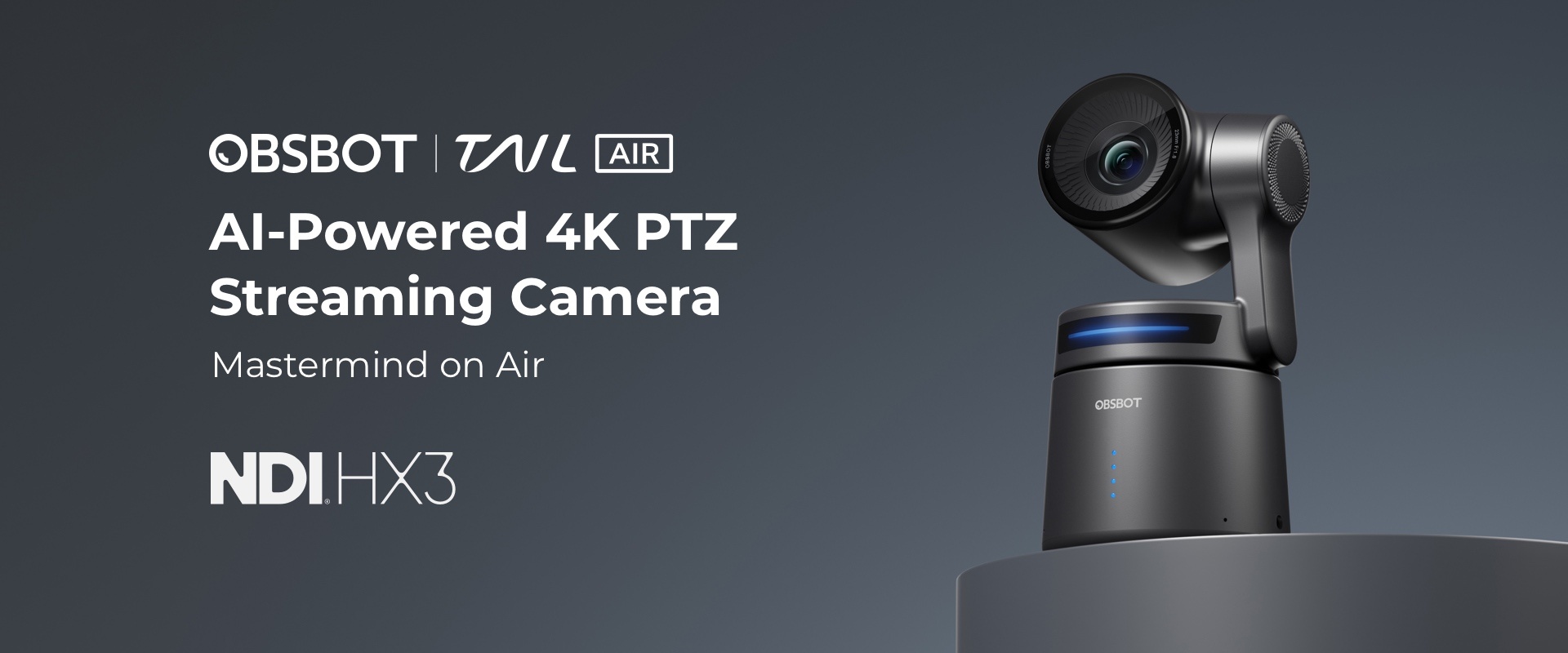
The Bottom Line: If you are looking for an honest OBSBOT Tail Air Review, here is the short version: The OBSBOT Tail Air delivers impressive AI auto-tracking and NDI capabilities, making it a powerful tool for solo creators. However, its advanced features come with a learning curve, particularly for network setup, which might challenge novices.
The Claim vs. The Reality
In the competitive landscape of creator technology, marketing often paints a picture of effortless innovation. Here’s how the OBSBOT Tail Air’s promises stack up against its actual delivery:
- The Good: The core promise of AI-powered auto-tracking, robust NDI support, and seamless integration for live streaming is largely delivered. This camera genuinely enhances dynamic content creation, allowing solo creators to produce professional-looking streams without a dedicated camera operator.
- The Bad: The “Anticipated 2025 feature set via continuous firmware updates unlocking new capabilities” is a forward-looking promise. While exciting, it means some advanced functionalities are not yet fully realized and rely on future development, rather than being immediately available out-of-the-box.
The Field Test
Imagine a solo educator or streamer hosting a live workshop. With the OBSBOT Tail Air, they can move freely around their studio, demonstrating concepts on a whiteboard or interacting with props, all while the camera intelligently keeps them perfectly framed. Leveraging its NDI support, the Tail Air can integrate effortlessly into a multi-camera setup, allowing for professional transitions and dynamic angles without complex cabling. The AI tracking is remarkably fluid, adapting to gestures and movements, making the presenter feel truly liberated from static camera positions. This workflow transforms a one-person operation into a polished, engaging broadcast.

The Compromises (The Cons)
No product is perfect, and to offer its advanced feature set at its price point, the OBSBOT Tail Air makes a few trade-offs. Here’s what you need to know:
- Setup Complexity for NDI: The most frequently cited complaint is that setting up NDI can be complex for network novices. Achieving specific IP configurations and ensuring stable network performance requires a degree of technical comfort that isn’t universally present. This isn’t a simple plug-and-play experience for everyone, potentially adding a frustrating hurdle before you can fully utilize its advanced streaming capabilities.
- Unrealized Potential: While the roadmap promises an “Anticipated feature set via continuous firmware updates,” this means some advanced capabilities are not yet present. Users are investing in a product whose full potential is still a future deliverable, requiring patience and reliance on ongoing software development to unlock its complete advertised functionality.

Final Verdict: Who Should Buy This?
Green Light (Buy It): If you are a solo content creator, live streamer, or educator who needs reliable AI auto-tracking and is willing to navigate a slightly more technical setup for advanced features like NDI, the OBSBOT Tail Air offers exceptional value for its capabilities.
Red Light (Upgrade Instead): If you demand absolute plug-and-play simplicity, have limited technical comfort with network configurations, or require all advertised features to be fully mature and available from day one, you might find the initial setup frustrating and prefer a more streamlined, albeit potentially less feature-rich, alternative.
Check Best Price on Amazon
The Alternatives
Not sold on the OBSBOT Tail Air? Here is how it stacks up against the competition.
If you are on a tight budget but still need a reliable camera for streaming and video calls, the AnkerWork C200 (Our Review) is an excellent budget winner, offering crisp 2K resolution and auto-focus at a fraction of the cost.
If you need pro-level power and are looking for the absolute best in AI tracking and 4K image quality, the Insta360 Link provides a superior, versatile gimbal control experience for professional content creation.